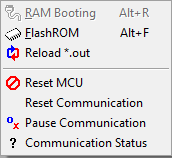
RAM Booting menu
This menu is not supported.
Flash ROM menu
It programs onchip flash of MCU with user program.
Flash programming is not available to 48 pins package and SFLASH.
Flash programming is not available in case the protection or security function is applied.
When clicked, the monitoring of easyDSP is temporarily paused and dialog will be present as below.
Please follow below sequence.
step 1 : Select the flash sector to be erased. Use 'All', 'None', 'Used', 'Not Used' buttons. Or click the checkbox of sectors.
All the sectors used in the user program are selected with 'Used' button. The other way around with 'Not used' button.
'Freeze' checkbox disables the sector selection. 'Show selected' shows only selected sectors in the list.
step 2 : When the buttons (Erase, Write, Verify) are clicked first time, MCU is reset and gets into BootRom DFU mode. The product ID is used at this moment.
step 3 : Execute necessary flash actions by clicking buttons.
step 4 : Click 'Reset>Exit' button when exiting this dialog box. It makes MCU reset and user program start.
Note that 'Write' means 'Program with Erase' since this MCU automatically erase the row before it program the row.
So, 'Write' button will erase the rows where the user codes are located. 'Erase' button will erase the rows selected by row selection list.
If MCU can't get into DFU mode as shown in the above message box, please check the below potential root cause of it :
- Is the product ID correct? Especially when the error message is "Packet data is not of the proper form".
- Is DFU is enabled through OEM policy?
- Do the P2.2 and P2.3 GPIO pins meet the DFU conditions (P2.2 = low, P2.3 = high when reset release)?
